
wd168 Brings Indonesia Wallets Into One Home
wd168 puts Live Roulette Salon, Diamond Rush Slots, football markets and four Indonesia wallet rails on one home page, with access where local law permits.
Access is available only where local law permits.
Find Casino and Slots Without Detours
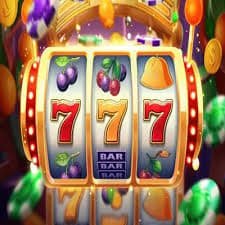
Casino and slots appear in separate home shelves, so you can move from live dealer tables to reel games without searching through unrelated pages.







Open One Account Through A Clear Path

Three visible steps take you from the wd168 Home page to account access: enter your mobile number, set your account credentials and complete phone verification. We show verification before the lobby opens so you do not have to guess whether the account is ready. Once access is active, the same account connects the casino, slots, sportsbook and cashier. Your wallet
choices remain inside that account rather than requiring separate profiles for DANA or QRIS. Check your mobile number carefully before submitting it because it is part of the access and account-help process. Eligibility depends on local law.
See The Home Structure Before You Join

Move From Slots To Sports In One Lobby
Six named home features show how the lobby is divided without making you open a new account for each activity. Diamond Rush Slots and Aviator Crash Game sit in the reel and crash areas, while Fishing War Mobile Play is placed for touch-screen access. Live Roulette Salon leads into dealer tables, and European Football Odds connects the home page with
football markets. Badminton and basketball are available through the sports route for Indonesia interests. Account Security Tips remains close to account tools rather than being mixed into game search. Use the category tabs to narrow the shelf before choosing a title.
Reach Live Casino and Slots From One Shelf
Track Wallet And Withdrawal Status From Home
Every payment route begins at the home cashier, where you select DANA, OVO, GoPay, QRIS, bank transfer or virtual account before entering an amount. We display the chosen rail and transaction status together so you can confirm which wallet received the request. Bank-based routes may use BCA, BRI, Mandiri or BNI context, depending on the option shown in your account.
A withdrawal request can require account and transaction checks before its status changes. Keep the receipt or bank reference available when asking us to trace a transfer, as completion time varies with wallet response, banking checks and account verification.
See How We Run The Home
Concrete operating details are placed where you make each decision on the home page. Phone verification appears before account access, payment status sits near the cashier, and category labels separate live tables…
Verified account path
We require clear phone verification before account access. This links your mobile number to the account-help route and reduces confusion when credentials need attention.
Named payment status
The cashier identifies DANA, OVO, GoPay, QRIS, bank transfer or virtual account beside the relevant transaction status, helping you confirm which rail handled your request.
Visible game categories
Casino, slots and sports use separate category paths on Home. Live roulette, baccarat, football, badminton and basketball therefore remain easier to distinguish before you enter a market or table.
Receipt-based checks
When a wallet or bank status stalls, our help path asks for the transaction reference and account details needed to inspect that specific request rather than starting without context.

Keep One Mobile Path To The Lobby
A mobile browser takes you from the wd168 Home page through account access, category selection and the cashier without requiring a separate application. The navigation condenses into touch controls while casino, slots and sports remain distinct, so Fishing War Mobile Play and Aviator Crash Game do not become buried beneath payment panels. QRIS, DANA, OVO and GoPay stay available through
the same cashier route used on a larger screen. If a wallet handoff temporarily moves you away from the browser, return to the account transaction area to check the recorded status rather than submitting the same request again.
Choose Indonesia Wallets Without Guesswork
Six cashier choices cover wallet and bank routes from the home account area.
Search Casino And Slots On Mobile
Casino and slots keep their own mobile search paths, allowing you to narrow the home shelf before loading a table or reel title.
Protect Your Account Before Lobby Access

Phone verification is completed before the home lobby opens, giving your account a clear connection to the mobile number used during setup. Account Security Tips is available from the home content area and covers practical checks such as keeping credentials private, checking the page address and ending the session on a shared device. We also recommend reading the displayed wallet
name and transaction amount before confirming a cashier request. If account access stalls, use the nearby help path instead of repeatedly changing credentials. Transaction references and your verified mobile number give us clearer details for examining an access or payment-status issue.
Get Help Beside The Cashier Path
Account help remains close to the home cashier because login and payment questions often involve the same verified details. Start with the issue type shown in the help path, then provide the mobile number connected to your account and the relevant transaction reference when one exists. A wallet status question should identify DANA, OVO, GoPay or QRIS, while a bank case should include the receipt and banking route. This structure lets us distinguish an account-access issue from a delayed wallet response. Avoid sending a second payment request while the first transaction still shows an active status.
Account access checks
Use the Home help path when phone verification or credentials prevent lobby access. Keep your verified mobile number ready so we can separate an account issue from a temporary page or device problem.
Wallet status checks
Name the selected rail and share its transaction reference when DANA, OVO, GoPay or QRIS status stalls. The cashier record helps us inspect the request without confusing it with another wallet.
Receipt matching
For bank transfer or virtual account questions, retain the receipt, reference and route shown during payment. These details allow the help path to match your request with the relevant account transaction.
Check Local Access Before Opening An Account
Indonesia access depends on local law, and the Home page keeps that condition close to the account and policy paths. Read the displayed terms and privacy links before entering account details, especially if your location or eligibility is uncertain. We provide payment names such as DANA, OVO, GoPay and QRIS for the Indonesia cashier, but seeing a payment method does
not replace the need to check local access. The same applies to casino tables, slots and sports markets. If access wording changes for your location, follow the message shown on the page rather than attempting to bypass it through another device or network.
Answers About The wd168 Home Page
The questions below address what you can see and do from Home before and after opening an account. They cover the category layout, phone verification, local payment routes, mobile behaviour, transaction status, account help and Indonesia access wording. We use the same names shown in the lobby and cashier so you can match each answer to a visible path. If your question concerns a particular transfer, keep its receipt or transaction reference available before entering the help area. Access to any account or lobby category depends on local law.